Start your free trial

Book a call to get your Nova account set up.
Nova reviews every inbound applicant against the requirements of the role, searches the candidate records you already have for people worth revisiting, and returns a score with the evidence behind it. Nova finds, reads, and ranks. The recruiter decides. Nova’s integration with Greenhouse Recruiting syncs your jobs and applications into Nova, screens applicants automatically as they apply, and writes Nova’s score, labels, and assessment back onto the Greenhouse application, so recruiters can review and filter results without leaving Greenhouse.

How Nova works in Greenhouse

Before you start

  • A Nova account. If your organization does not have one, contact nova@dweet.com.
  • A Greenhouse Recruiting user with the Site Admin permission level. Greenhouse requires Site Admin to authorize a Harvest integration.
  • We recommend authorizing with a service account so the connection belongs to your organization rather than to one person. A connection owned by an individual stops working when that person is deactivated.

Connect Greenhouse

1

Open ATS settings in Nova

Go to Settings, select ATS Integration, then select Connect ATS and choose Greenhouse.
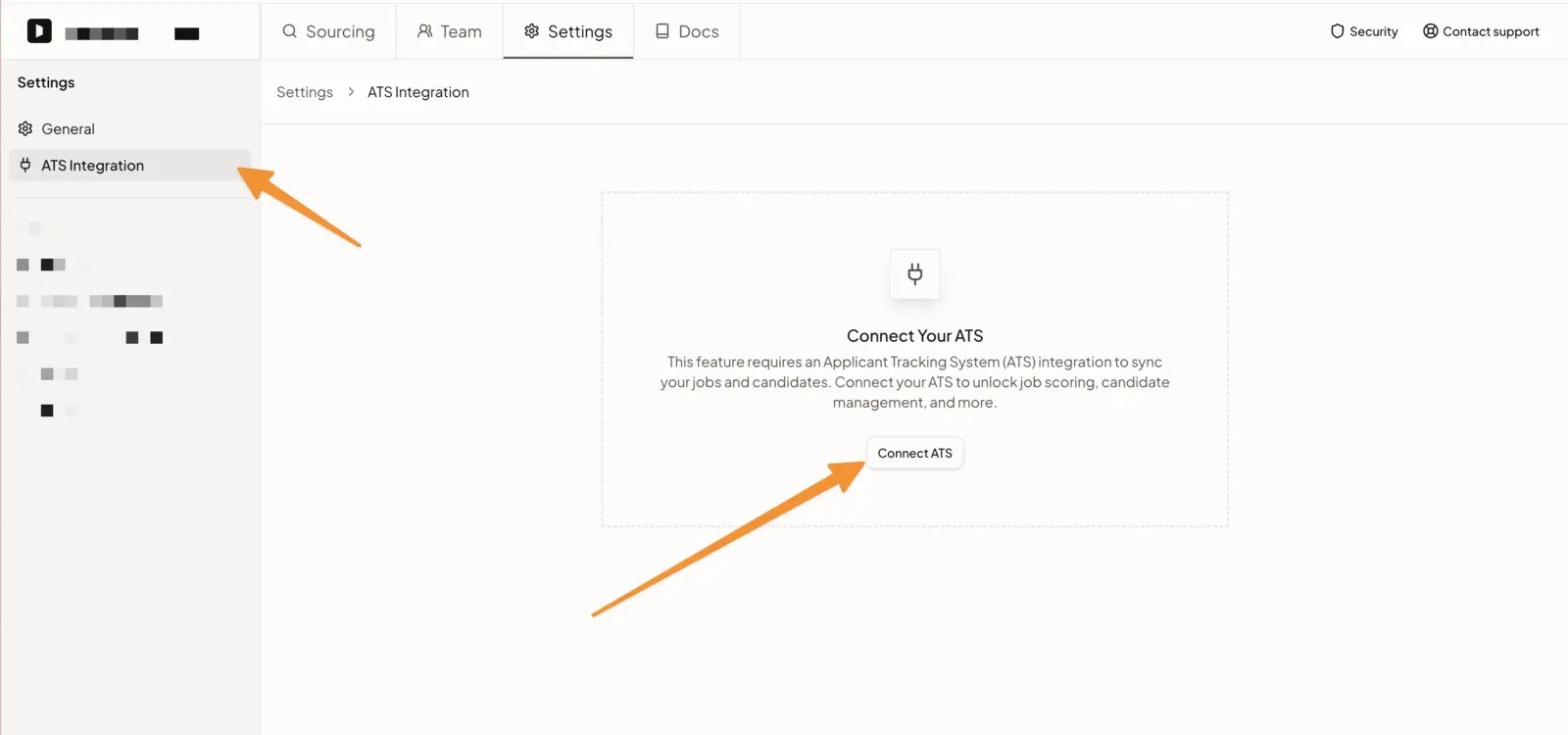
ATS Integration settings in Nova with the Connect ATS button
2

Authorize in Greenhouse

Nova sends you to Greenhouse’s consent screen, which lists the permissions Nova requests. Choose to authorize using a service account, then confirm.
3

Return to Nova

You land back in Nova with the integration active. Nova starts syncing your jobs and applications, and scores new applicants as they arrive.

What Nova creates on connection

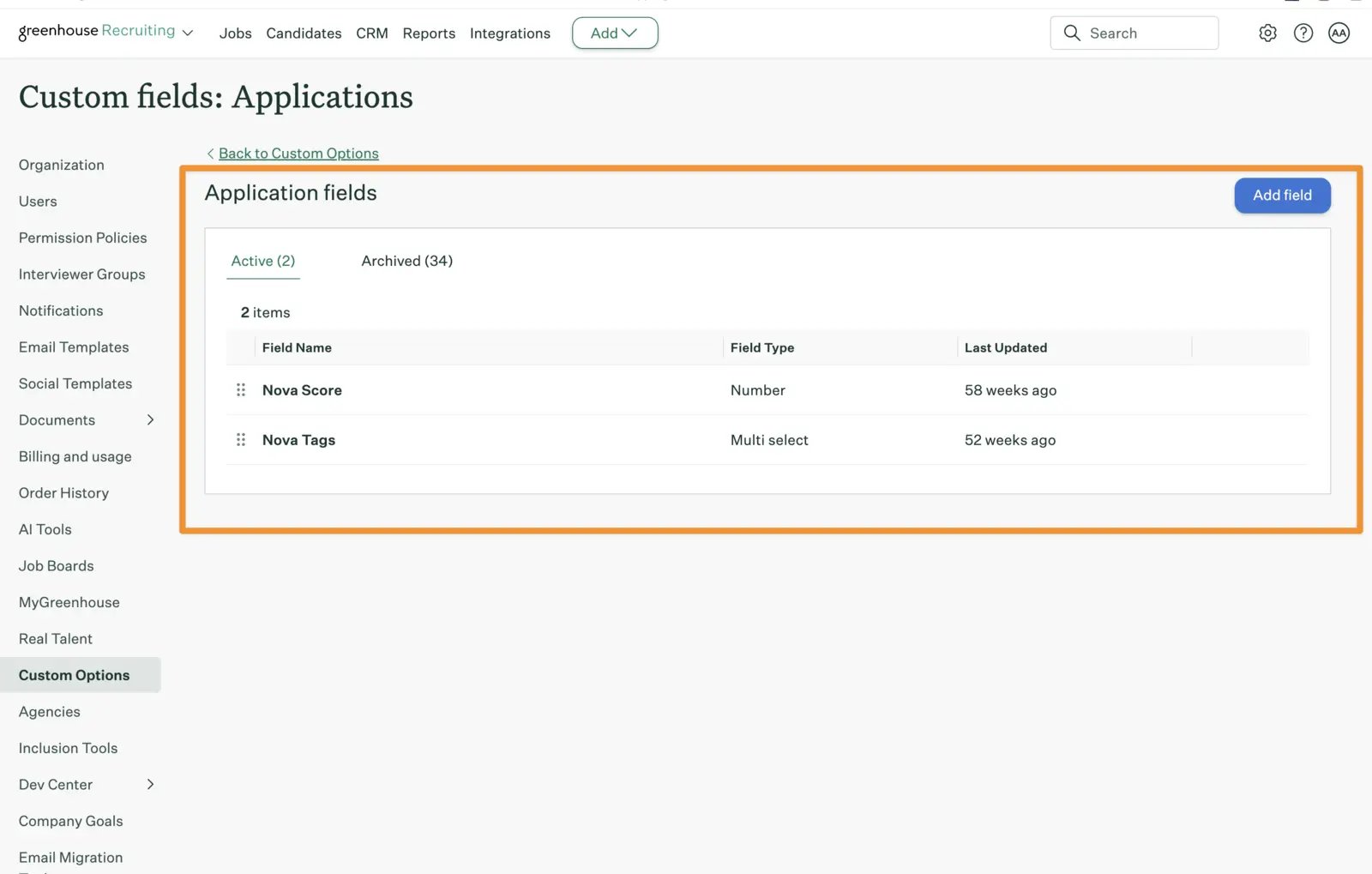
Nova provisions two custom application fields in your Greenhouse account, if they do not already exist:
  • Nova Score: a number field holding the score Nova gives an application, from 1 to 10.
  • Nova Tags: a multi-select field used for optional job-specific score labels.
You can see them in Greenhouse under Configure, Custom Options, Custom Fields, Application. No manual setup is required.
Nova Score and Nova Tags application fields in Greenhouse custom options

Permissions Nova requests

The consent screen groups the permissions Nova requests. Each group maps to a part of the integration. The exact scope names are in the permission reference below.

What Nova writes to Greenhouse

Nova writes only what is listed here. Nova does not edit the rest of a candidate or application record. Nova does not delete candidates, applications, jobs, or any field it did not create. Nova skips scoring for candidates who have already been rejected.

Screen inbound applicants

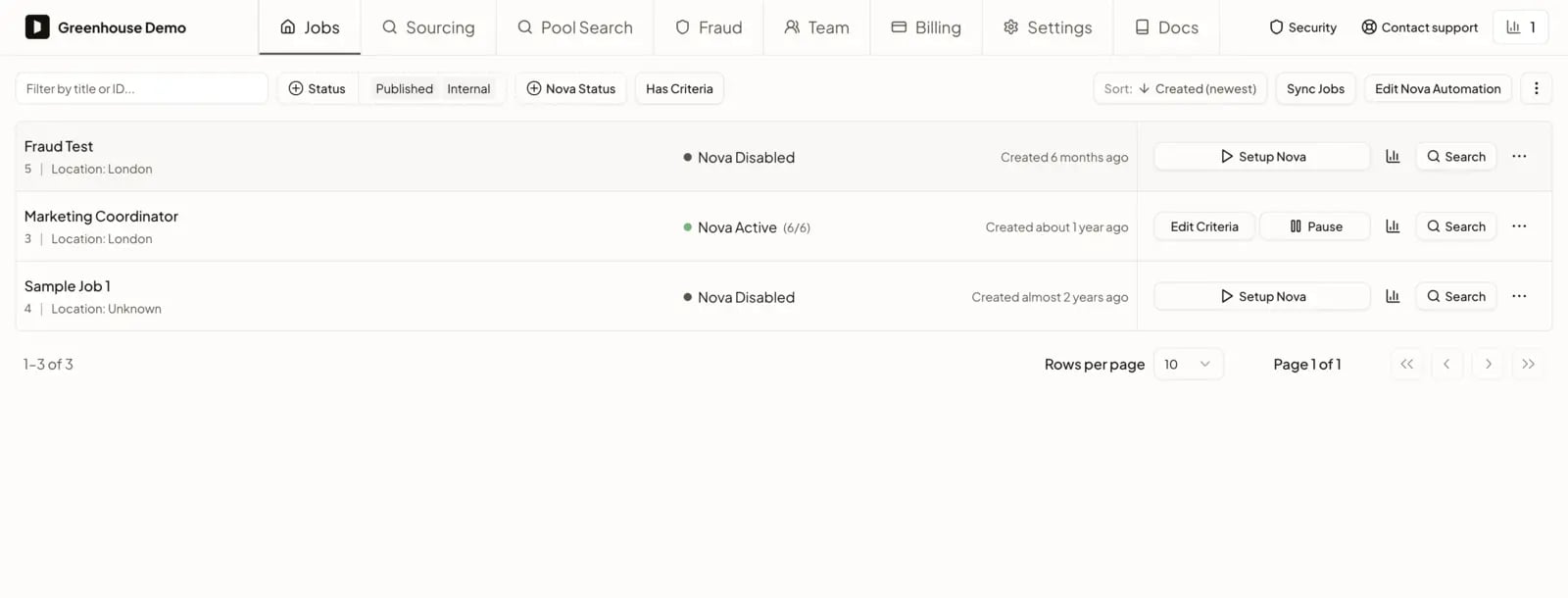
This runs by default once the integration is connected and you enable screening on a job. No recruiter action is needed to keep it running.
  1. A candidate applies to one of your Greenhouse jobs.
  2. Nova syncs the application, reads the resume and the application question answers, and assesses the candidate against the requirements of that role.
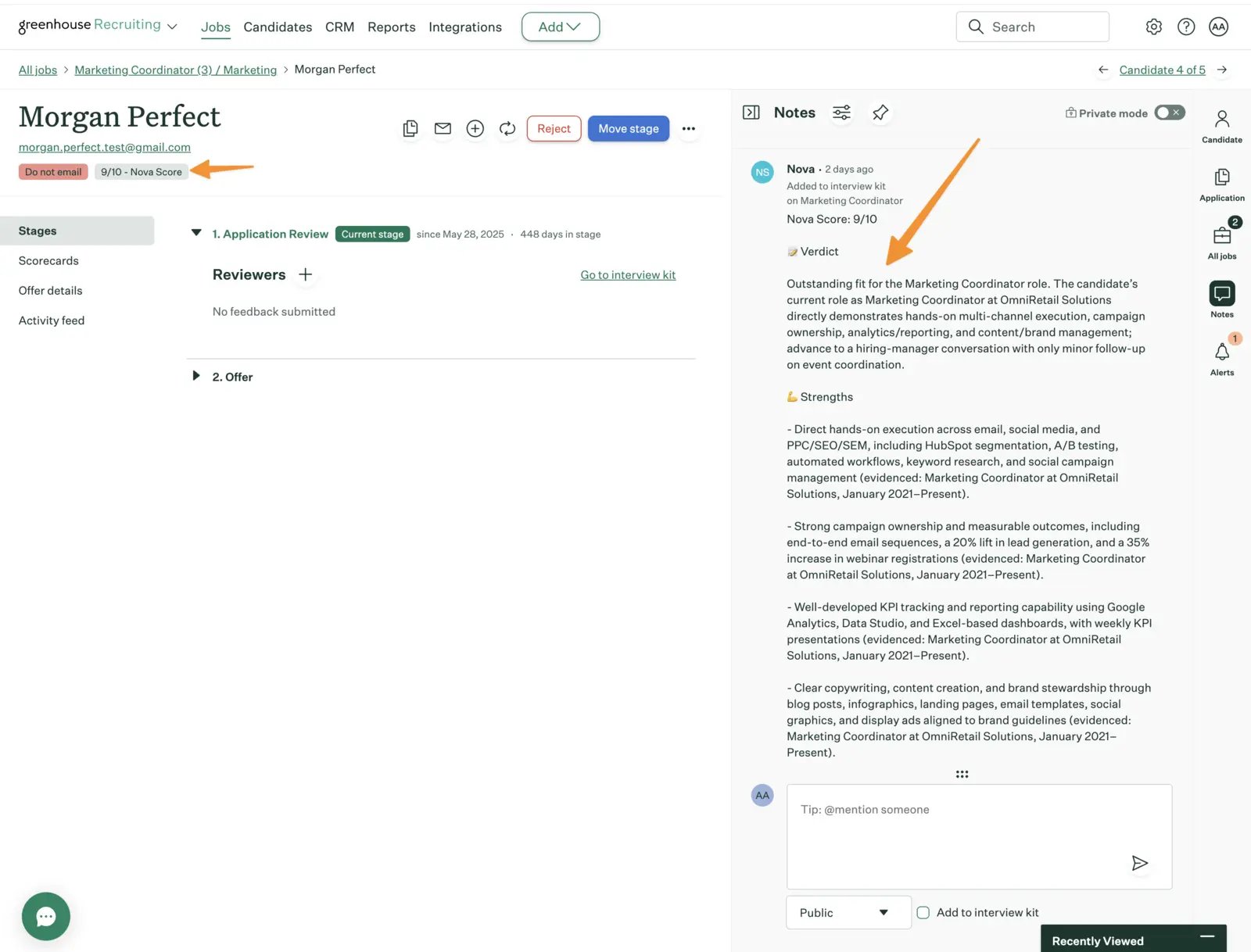
  3. Nova writes the result back to Greenhouse: the score into the Nova Score field, its assessment as a note on the candidate, and its labels as candidate tags.
Nova job list showing screening active on a Greenhouse job
In Greenhouse, the score appears on the candidate and the assessment appears in the notes panel, with the evidence behind each point.
Nova Score and Nova assessment note on a candidate in Greenhouse
In Nova you see the same score together with its evidence, so you can check the reasoning rather than trusting a number.

Filter candidates in Greenhouse by score

Because Nova writes the score into a Greenhouse custom field, you can filter on it from the Greenhouse Candidates page without opening Nova. Filtering on Nova Score alone returns candidates who received that score for any job they applied to. To filter by requisition and score together, enable job-specific score labels. Nova then adds a label such as REQ-123 - 8/10 to the Nova Tags field, and filtering on that label finds the candidates who scored 8 for REQ-123. Anyone who can manage company settings can turn this on in Nova, under Settings, ATS Integration, Job-specific score labels. When Nova scores an application again, it adds the new label alongside the previous one. You can clear Nova’s labels from Nova at any time.

Other things Nova can do with your Greenhouse data

Search the candidates already in your Greenhouse. Recruiters can search the candidate records already in your account to find people worth revisiting for an open role, instead of starting every search from scratch. Contact nova@dweet.com to enable this for your account. Add a sourced candidate to Greenhouse. When a recruiter finds a candidate in Nova who is not yet in your Greenhouse account, they can add that candidate to a Greenhouse job from Nova. Nova creates the candidate and their application on the job the recruiter chooses, and only when the recruiter chooses to. Contact nova@dweet.com to enable this for your account.

If the connection stops working

Nova shows a reconnect prompt in its Greenhouse integration settings. Select it to re-authorize with Greenhouse. If the problem continues, contact nova@dweet.com.

Permission reference

The exact permissions Nova requests on the Greenhouse consent screen. Nova requests no permission outside this list.

Read permissions

Write permissions

Webhook permissions

Nova only manages webhook subscriptions it created.

Frequently asked questions

Nova scores new applicants on the jobs where you have enabled application screening. Nova skips candidates who have already been rejected.
A Greenhouse user with the Site Admin permission level. Greenhouse requires Site Admin to authorize a Harvest integration. We recommend authorizing with a service account so the connection belongs to your organization.
Nova writes only the fields listed in the table above. It does not edit the rest of a candidate or application record, and it does not delete anything it did not create.
No. Nova can remove a Nova-applied tag from an individual candidate. It cannot delete a tag from your Greenhouse account.
The Greenhouse account that authorized the connection. When you authorize with a service account, notes are posted by that service account, and Greenhouse decides the name shown in the activity feed.
Nova shows a reconnect prompt in its Greenhouse integration settings. Select it to re-authorize with Greenhouse. If the problem continues, contact nova@dweet.com.

Fraud Detection

How Nova flags fraud risk on applicants

Talent Rediscovery

Search the candidates you already have