

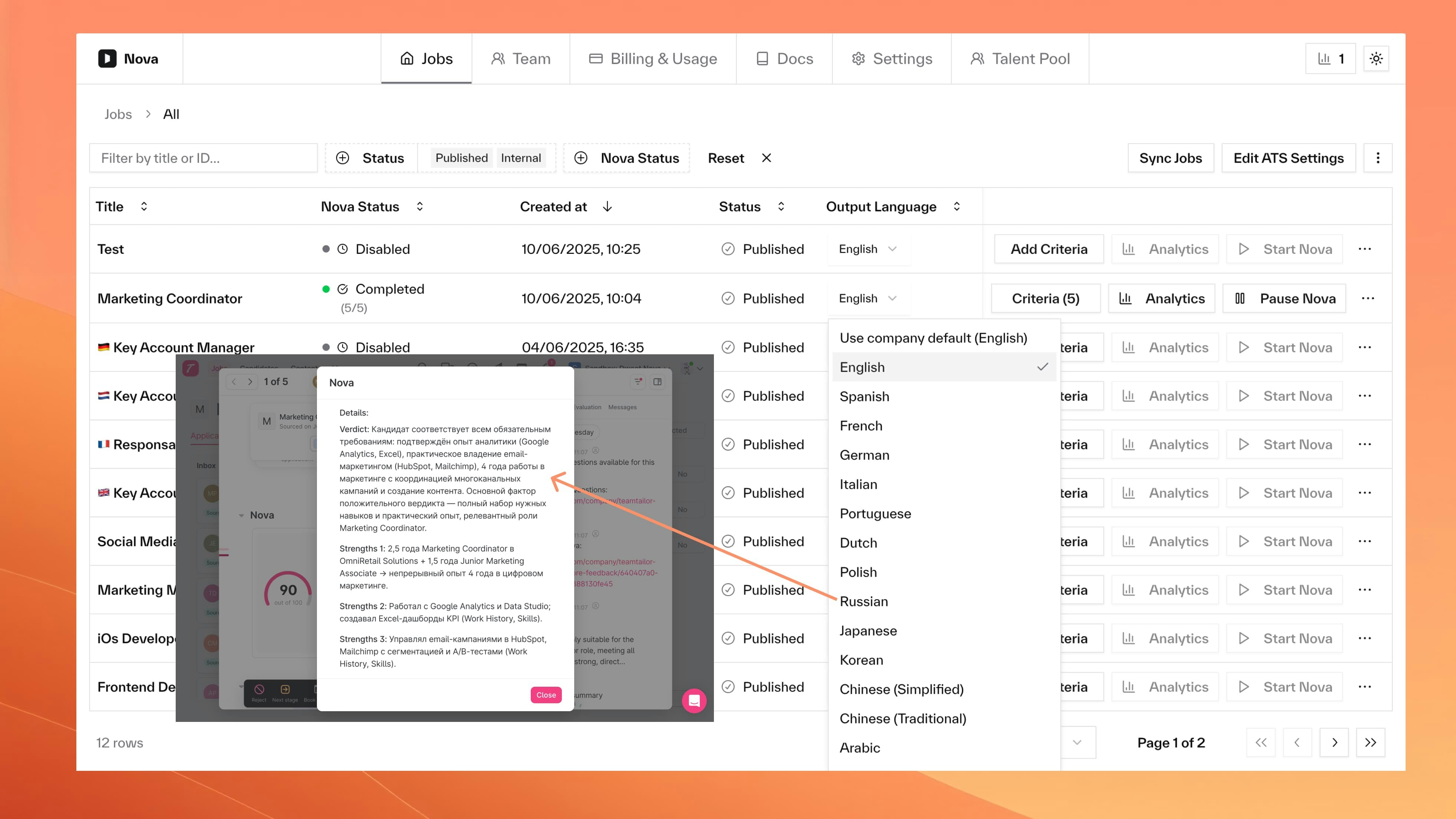
Language Hierarchy
- Job-specific language (if set)
- Company default (fallback)
- English (final fallback)
Configuration
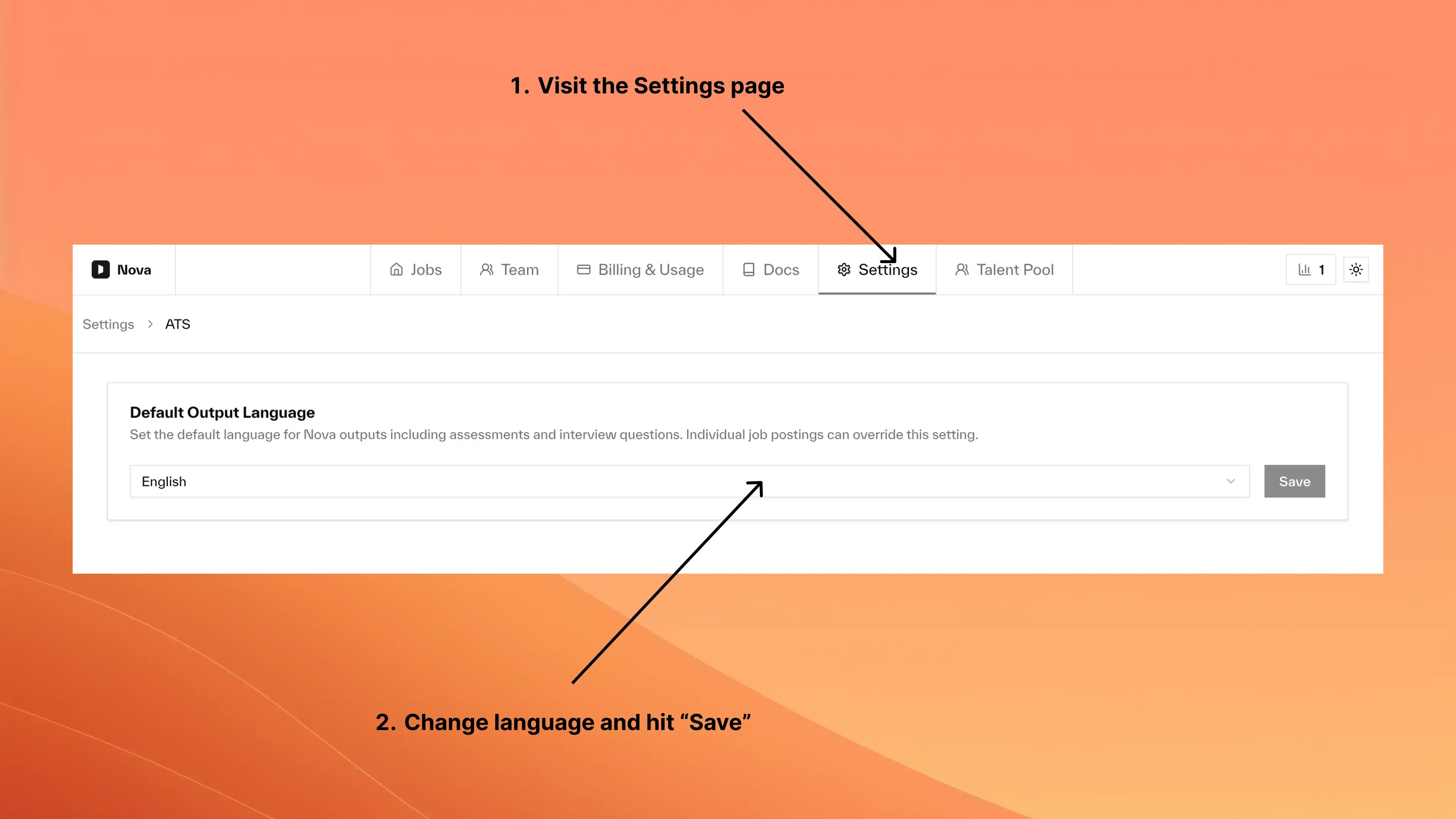
- Company Default
- Job Override
1
Go to Settings > Output Language
2
Select your preferred language
3
Save. Applies to all jobs without overrides.
Supported Languages
- European
- Asian
- English
- Spanish
- French
- German
- Italian
- Portuguese
- Dutch
- Turkish
- Polish
- Romanian
- Greek
- Hungarian
- Czech
- Swedish
- Norwegian
- Danish
- Finnish
- Russian
Behavior
Can I change language for existing jobs?
Can I change language for existing jobs?
Yes. New outputs use the new language. Existing scores stay in their original language.
Do settings affect candidate processing?
Do settings affect candidate processing?
No. Settings control output language only. Nova processes resumes in any language regardless.
Can candidates see assessments in their own language?
Can candidates see assessments in their own language?
No. Output language controls internal assessments visible to your hiring team, not candidate-facing content.
Enabling Nova
Activate scoring on jobs
Configuring Criteria
Set up job-specific criteria