

Setup
1
Create a Nova user in your ATS
Create a new user named “Nova” with recruiting team permissions.
2
Configure Nova to use this user
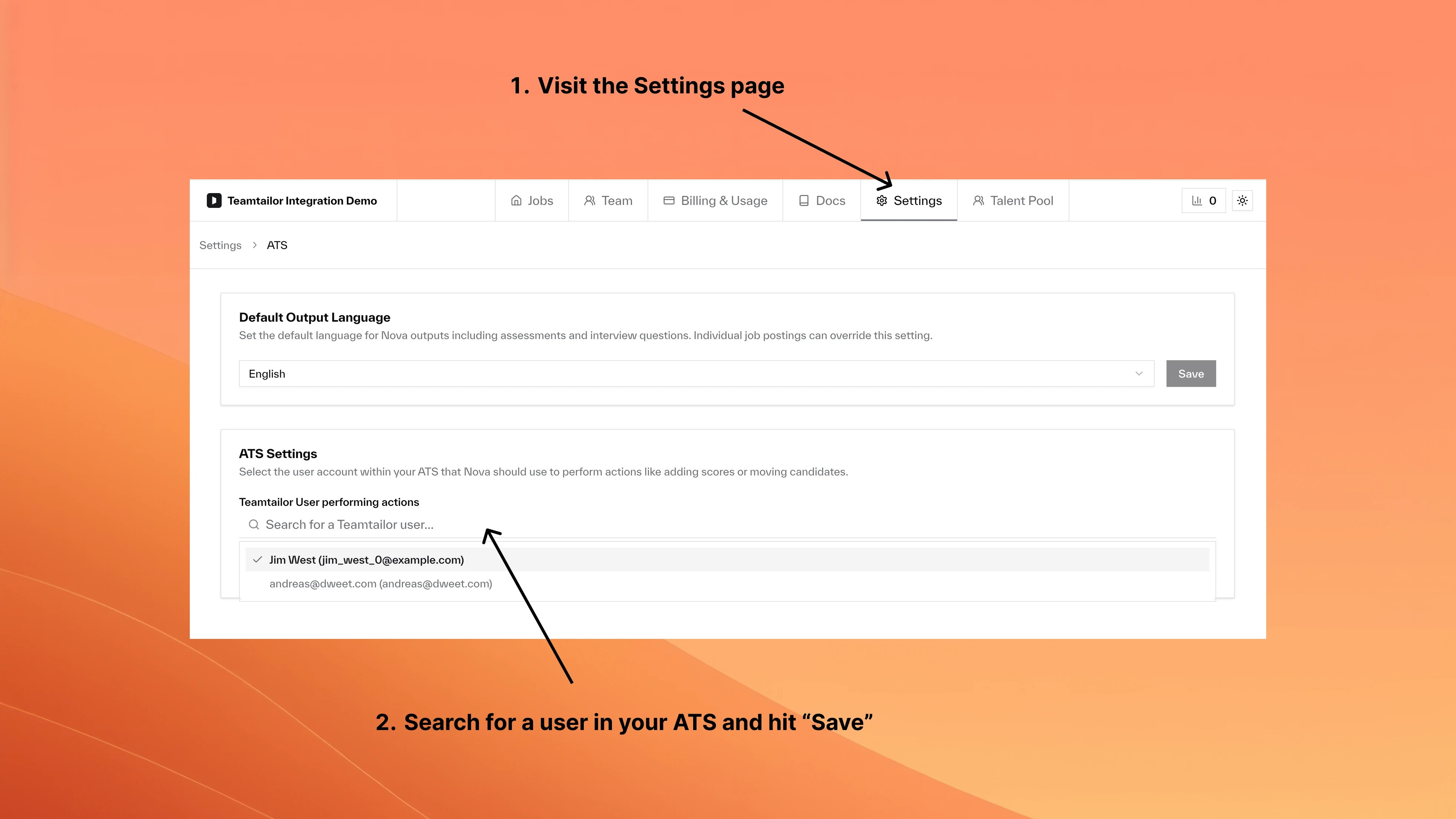
Go to Settings, open ATS Settings, search for and select your Nova user, then save.
This setting does not apply to Greenhouse connections authorized with a service account. There, Nova’s notes are posted by the service account itself, and Greenhouse decides the name shown in the activity feed. See the Greenhouse integration page.
Frequently asked questions
What happens to existing Nova content?
What happens to existing Nova content?
Previous content keeps its original attribution. Only new content uses the updated user.
Can I use different users for different jobs?
Can I use different users for different jobs?
No. The setting applies company-wide.
User Management
Manage team roles and permissions
Company Settings
Configure company-wide preferences