

Prerequisites
- Criteria configured: At least 1 criterion. Start prompts you to add them if missing.
- Job is live: Published or internal state in your ATS.
- Payment method on file: Required for metered plans.
Starting and Pausing
From the Jobs page, each job has a Start or Pause button. Starting opens a confirmation dialog showing the processing schedule. Click Start to confirm. Pausing stops new candidates from being picked up. In-progress evaluations finish. All existing scores are preserved.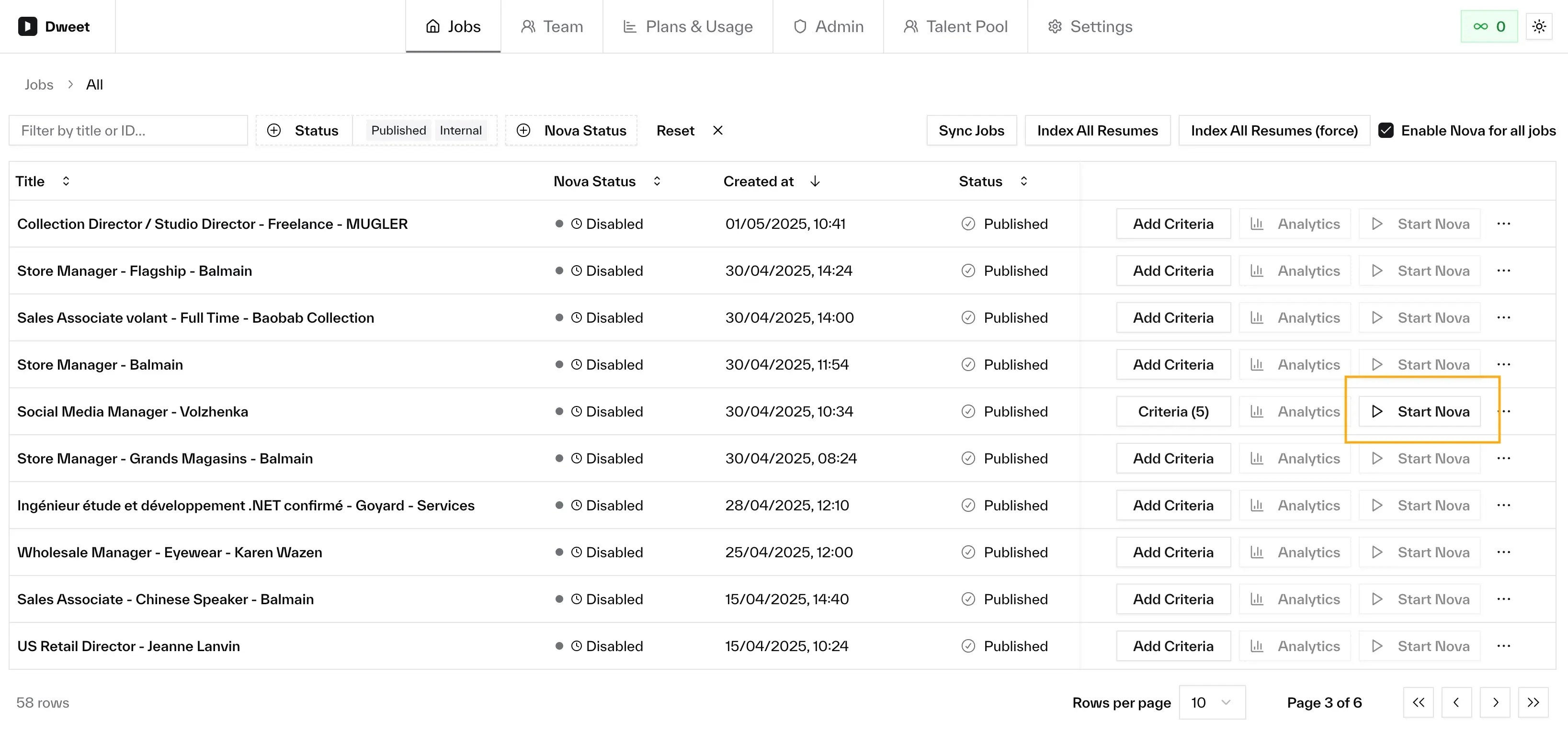
Stage Automation
Automatically move candidates between pipeline stages based on score. Configure per job via Edit Stage Automation.| Setting | Description |
|---|---|
| Starting stage | Stage where new applications land. Only candidates here are routed. |
| Low potential | Move candidates at or below a threshold (e.g. score 3 or below). |
| High potential | Move candidates at or above a threshold (e.g. score 8 or above). |
Stage automation only affects candidates in the starting stage. It won’t move candidates backwards or re-route those already in other stages.
Auto-Disable
Nova automatically disables scoring in 2 situations:Billing period expiry
For metered plans, Nova disables at the end of each billing cycle. Warning emails with Keep Active links are sent during a grace period (default: 5 days before). Click the link or re-enable from the dashboard.Inactivity
Jobs with no processed applications for a configurable period (default: 30 days) are automatically disabled. No warning emails.Re-enabling
Click Start on any disabled job. Previous scores are preserved. Re-enabling after billing expiry starts a new billing period.Auto-disable only affects Nova’s scoring. Your job posting stays active in your ATS.
Auto-Disable Settings
Configured at the company level in Settings:| Setting | Default |
|---|---|
| Enable auto-disable | Disabled |
| Billing grace period | 5 days |
| Inactivity period | 30 days |
Per-Job Settings
From the job’s actions menu:- Assessment output language: Override the company default for this job.
- Run limit: Cap applications Nova will process.
What happens to existing applications when I start Nova?
What happens to existing applications when I start Nova?
All existing applications are processed immediately alongside new ones.
Does pausing Nova lose any data?
Does pausing Nova lose any data?
No. All scores, assessments, and analytics are preserved.
Does auto-disable affect my ATS?
Does auto-disable affect my ATS?
No. Only Nova’s AI processing stops. Your job posting stays active.