> ## Documentation Index
> Fetch the complete documentation index at: https://nova.dweet.com/docs/llms.txt
> Use this file to discover all available pages before exploring further.
# Quick Setup
> Enable AI-powered candidate scoring on your first job posting.
Before you start, consider creating a dedicated "Nova" user in your ATS so scores appear under a system account. [Learn more](/nova/account/ats-user-settings)
## Setup Steps
From your company dashboard, go to the Jobs page and find the job you want to score.
Click **Add Criteria** on the job. The Criteria Builder walks you through setup: provide context about the role, answer a few clarifying questions, then review the generated criteria.
Nova creates the first draft using criteria-writing best practices, so you do not need to design the rubric from scratch.
You can edit criteria text, adjust importance levels (must have, preferred, nice to have), add or remove criteria, and refine with Nova by describing the change you want.
Click **Start** on the job. Nova begins processing candidates immediately and scores new applications as they come in.
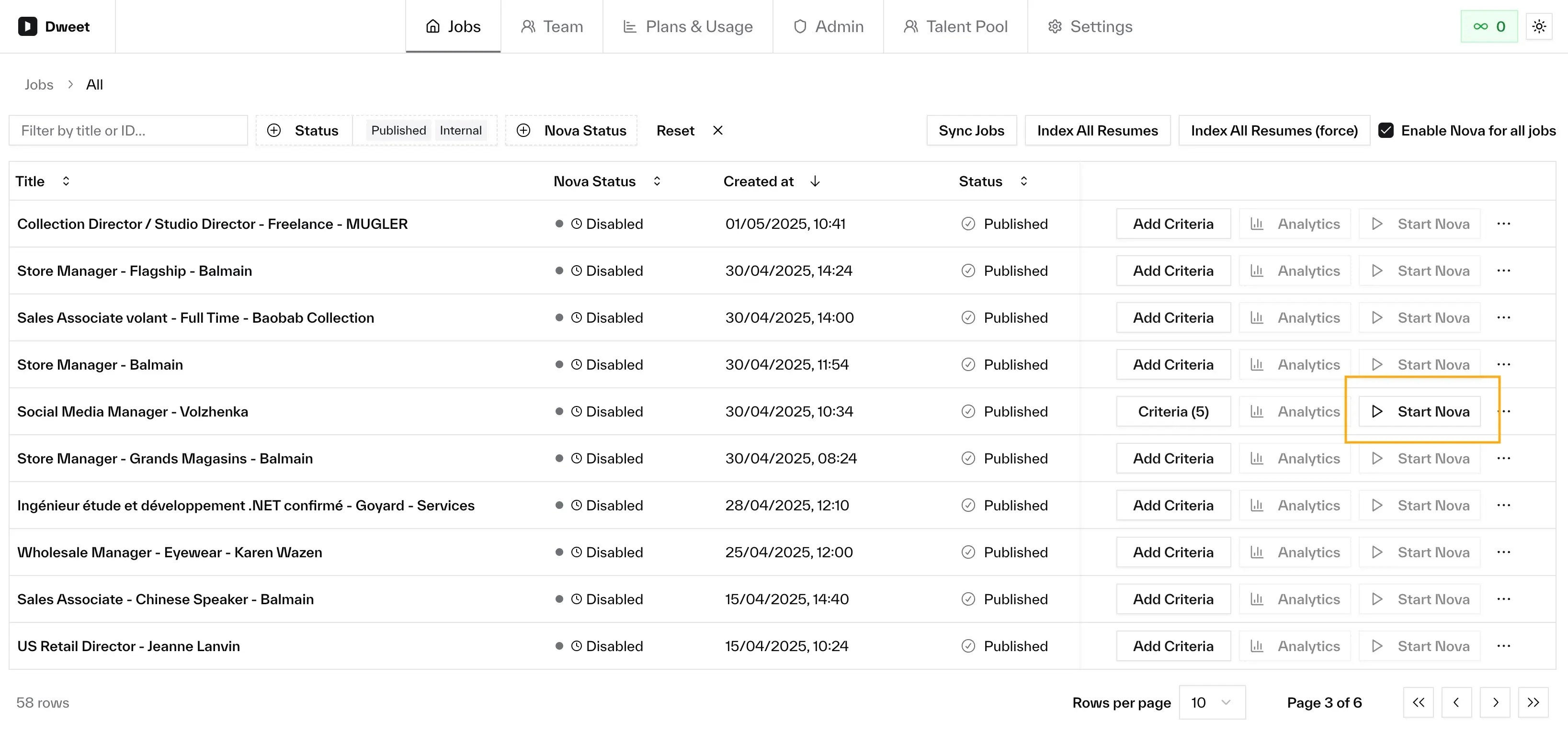 The job must be live (published or internal) and you need a valid payment method before Nova can start. The button tells you if anything's missing.
Once started, you should see:
* A status indicator showing Nova is active on the job
* Scores appearing on candidate profiles in your ATS
## Next Steps
How to read and interpret Nova assessments
Refine criteria to improve scoring accuracy
The job must be live (published or internal) and you need a valid payment method before Nova can start. The button tells you if anything's missing.
Once started, you should see:
* A status indicator showing Nova is active on the job
* Scores appearing on candidate profiles in your ATS
## Next Steps
How to read and interpret Nova assessments
Refine criteria to improve scoring accuracy