> ## Documentation Index
> Fetch the complete documentation index at: https://nova.dweet.com/docs/llms.txt
> Use this file to discover all available pages before exploring further.
# Enabling Nova
> How to start and pause scoring on a job, configure stage automation, and understand auto-disable behavior.
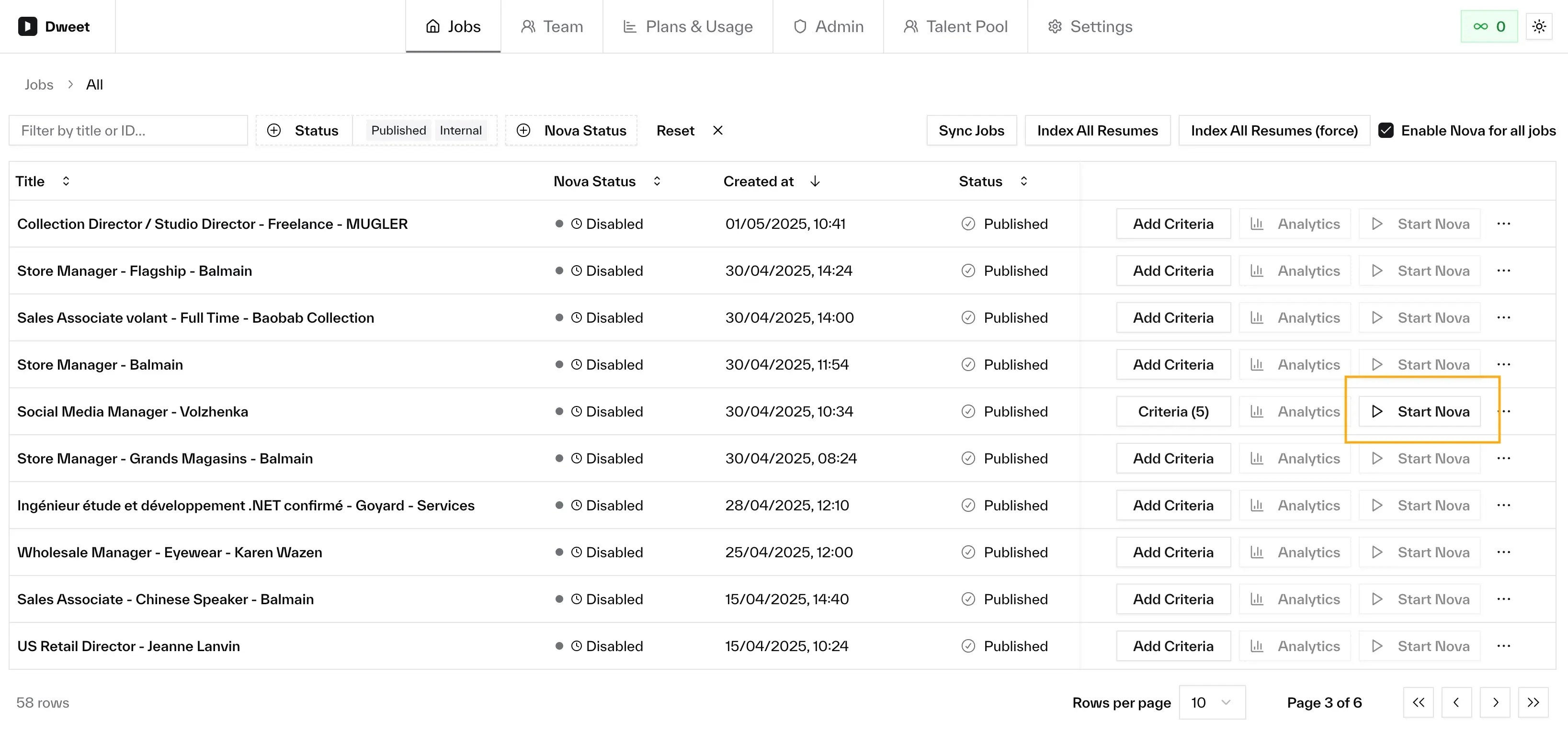
Nova is enabled per job. Click **Start** to begin scoring existing applications immediately and process new candidates as they apply. Pause at any time.
## Prerequisites
* **Criteria configured**: At least 1 criterion. Start prompts you to add them if missing.
* **Job is live**: Published or internal state in your ATS.
* **Payment method on file**: Required for metered plans.
## Starting and Pausing
From the Jobs page, each job has a **Start** or **Pause** button.
**Starting** opens a confirmation dialog showing the processing schedule. Click **Start** to confirm.
**Pausing** stops new candidates from being picked up. In-progress evaluations finish. All existing scores are preserved.
 ## Stage Automation
Automatically move candidates between pipeline stages based on score. Configure per job via **Edit Stage Automation**.
| Setting | Description |
| ------------------ | ------------------------------------------------------------------- |
| **Starting stage** | Stage where new applications land. Only candidates here are routed. |
| **Low potential** | Move candidates at or below a threshold (e.g. score 3 or below). |
| **High potential** | Move candidates at or above a threshold (e.g. score 8 or above). |
Both are optional. Candidates between the 2 thresholds stay in the starting stage for manual review.
Stage automation only affects candidates in the starting stage. It won't move candidates backwards or re-route those already in other stages.
## Auto-Disable
Nova can automatically pause scoring on a job when the billing period expires or after a period of inactivity. Existing scores are preserved, and you re-enable a job by clicking **Start**. See [Auto-Disable](/nova/account/auto-disable) for the full behavior, defaults, and settings.
## Per-Job Settings
From the job's actions menu:
* **Assessment output language**: Override the company default for this job.
* **Run limit**: Cap applications Nova will process.
All existing applications are processed immediately alongside new ones.
No. All scores, assessments, and analytics are preserved.
No. Only Nova's AI processing stops. Your job posting stays active.
## Stage Automation
Automatically move candidates between pipeline stages based on score. Configure per job via **Edit Stage Automation**.
| Setting | Description |
| ------------------ | ------------------------------------------------------------------- |
| **Starting stage** | Stage where new applications land. Only candidates here are routed. |
| **Low potential** | Move candidates at or below a threshold (e.g. score 3 or below). |
| **High potential** | Move candidates at or above a threshold (e.g. score 8 or above). |
Both are optional. Candidates between the 2 thresholds stay in the starting stage for manual review.
Stage automation only affects candidates in the starting stage. It won't move candidates backwards or re-route those already in other stages.
## Auto-Disable
Nova can automatically pause scoring on a job when the billing period expires or after a period of inactivity. Existing scores are preserved, and you re-enable a job by clicking **Start**. See [Auto-Disable](/nova/account/auto-disable) for the full behavior, defaults, and settings.
## Per-Job Settings
From the job's actions menu:
* **Assessment output language**: Override the company default for this job.
* **Run limit**: Cap applications Nova will process.
All existing applications are processed immediately alongside new ones.
No. All scores, assessments, and analytics are preserved.
No. Only Nova's AI processing stops. Your job posting stays active.